|
 |
|
SmartScan Bar Code Data Entry System
|
|
What
Is the SmartScan Barcode Translator? |
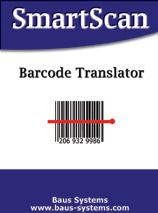
| SmartScan
Barcode Translator adds the power of bar code scanning
to QuickBooks. The
SmartScan Barcode Translator
program pairs the bar code you assign with the corresponding item in your
QuickBooks item list. Existing manufacturer's bar codes can be used or you can
create your own internal bar code numbering system.
The
Barcode Translator
program allows you to scan a product bar code directly
into a QuickBooks transaction's item field and have the corresponding item code
appear on the transaction.
Barcode Translator
will increase productivity through the speed and accuracy of selecting the
correct item from your QuickBooks item list instantly.
Barcode
Translator
allows the cursor to jump to another field instantly after a bar code has been
scanned. This will save you time by reducing or eliminating keystrokes during
your data entry process.
|
|
Click here to see the slideshow demo!
|
| How
Does SmartScan Work? |
SmartScan Barcode Translator
runs as a service in the background on your computer while you work within QuickBooks.
Barcode Translator
contains a table of values which will translate bar codes into the item codes in your QuickBooks system.
An example of the translation process would be scanning a product UPC code
with a serial bar code reader* when entering a sale transaction and
having the scanned UPC code "translate" to the corresponding QuickBooks item
code.
Barcode Translator
also allows you to define where the cursor should be placed once a bar code has
been read. Using our "screen patterning" feature, you can tell the
scanner what to add after the scan for each screen that you will be working
with. Any combination of keys (i.e. tab, return, numbers, letters, function
keys) can be added to a scan. This will save or even eliminate keystrokes
during your data entry process.
*
Barcode Translator
requires a serial scanning device for reading bar codes. Available
scanners are shown below and are sold separately.

|
|
Software Pricing
|
|
|
 |
|
|
|
| |
Cost per License |
|
| |
$175.00 |
|
| |
|
|
|
|
|
System Requirements
 |
|
|
-
All QuickBooks updates
-
QuickBooks Pro, Premier or
Enterprise (2004 or newer), US or Canadian
-
PC running Windows 98,
2000, NT, ME or XP
-
Current Windows Updates
-
Mouse
-
32mb RAM
-
25mb free hard drive space
(minimum)
-
One Unused Comm Port (i.e.
Com1, Com2, Com3 or Com4)
-
Serial Scanning Device
|
|
|
Scanning Devices
|
|
|
Baus Systems is
proud to offer scanners
from
|
|
|
 |
|
|
|
|

Click
to view a PDF with additional information
|
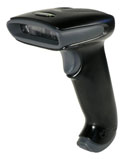
Image Team 3800
- High performance linear imaging scanner
- Fast reading performance
- Solid state construction, no moving
parts
- Brighter than CCD scanners
- More durable than a laser scanner
- Five year warranty
- Pricing:
$325.00 Scanner Only
$450.00 Bundled with SmartScan Software
|
|
|

Click
to view a PDF with additional information
|
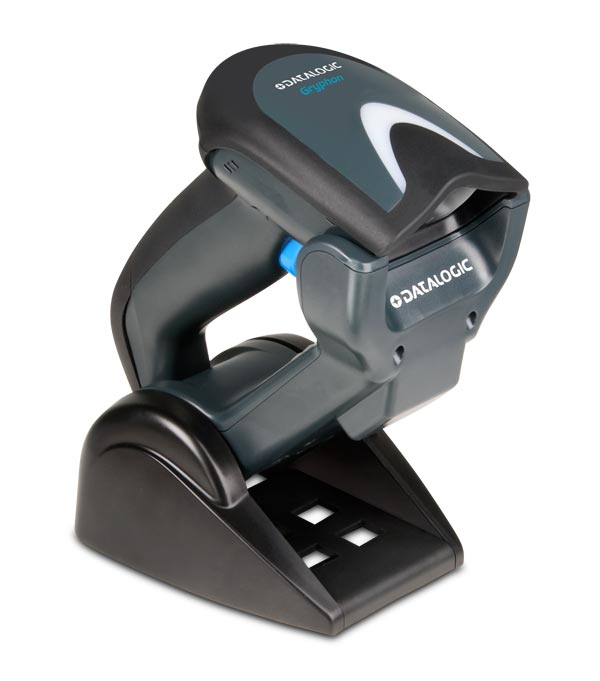
Datalogic Gryphon Mobile
- High performance linear imaging scanner
- 900MHz Wireless Radio
- Range up to 50ft
- 3 Hour Recharge Time (Max.)
- Withstands repeated 6ft drops to
concrete
- Two year warranty
- Pricing:
$950.00 Scanner Only
$1,075.00 Bundled with SmartScan Software
|
|
|
|