SmartScan Inventory Count
What Is SmartScan Inventory Count?
Inventory Count was designed to give QuickBooks users the ability to assign bar codes to the Items in their inventory list and then scan those bar codes when they take a physical inventory count.
SmartScan Inventory Count can be used to perform physical counts, cycle counts and periodic inventory audits. Time is saved and mistakes are reduced by scanning bar codes and assigning a quantity count to update the QuickBooks quantity on hand. Other options for logging the counts are available and include printing or saving to a file.
SmartScan Inventory Count can be used to assign bar codes to your existing items. Mobile scanning expedites the most time consuming aspect of implementing a bar code system. An initial inventory count can be performed at the same time the bar codes are being assigned to items.
Click here to see the SmartScan Inventory count slide show!
Click here to see the SmartScan demonstration video!
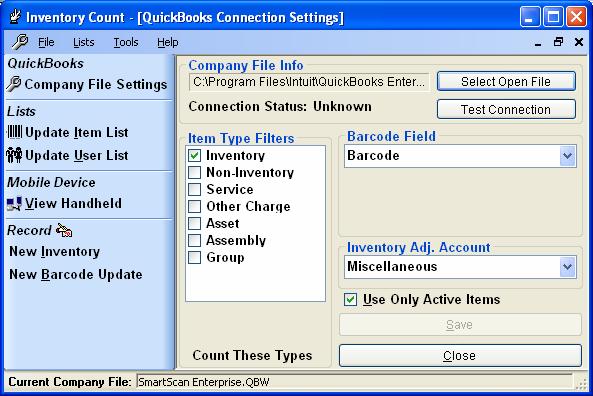
SmartScan Inventory Count Desktop Settings Screen
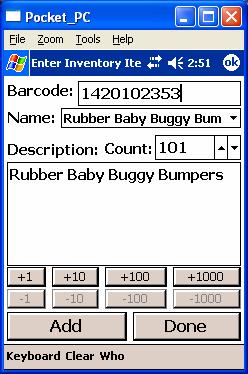
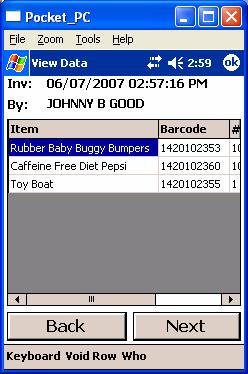
SmartScan Inventory Count Mobile Screen Samples
 |
- SmartScan Inventory Count
Cost per license: $399.00
Bundle discount available
SmartScan Sales
(206) 932-9986
|

|
- PC running Windows XP or newer
- QuickBooks 2006 or newer, Pro, Premier or Enterprise
- Mouse or pointing device
- 256mb RAM
- 30mb free hard drive space
- Android or Windows Mobile based mobile device (see below)
|
|
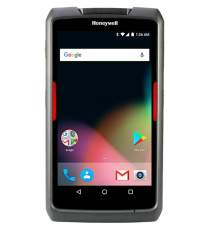
Honeywell Dolphin EDA70 Tablet (Android)
- Size 8.4 x 4.6 x .83 inches
- Qualcomm Quad-core 1.2GHz processor
- Android 7.1 operating system
- 16GB Flash / 2GB RAM
- 7 in. 720x1280 HD Gorilla Glass Touch Screen
- Withstands multiple 4ft drops to concrete
- Integrated Imager/Scanner
- Rechargeable Lithium Ion battery
- Integrated Bluetooth and 802.11b/g/n wireless radios
Call for Pricing
Click to view Dolphin EDA70 Tablet information |
|
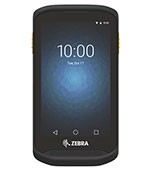
Zebra TC20 Mobile Computer (Android)
- Size 5.3 x 2.8 x .63 inches
- Qualcomm MSM8937 1.4GHz processor
- Android 8.1 operating system
- 16GB Flash / 2GB RAM
- 4.3 in. 800x480 Gorilla Glass Touch Screen
- Withstands multiple 4ft drops to concrete
- Integrated Scanner
- Rechargeable Lithium Ion battery
- Integrated Bluetooth and 802.11b/g/n wireless radios
Call for Pricing
Click to view Zebra TC20 information |
|
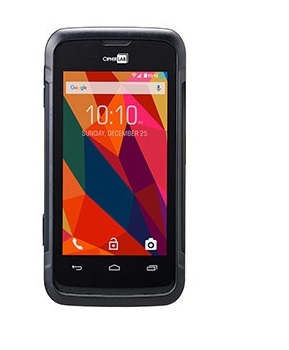
CipherLab RS31 Mobile Computer (Android)
- Size 6.25 x 3.15 x .68 inches
- Cortex A53 1.3GHz processor
- Android 6.0 operating system
- 16GB Flash / 2GB RAM
- 4.7 in. 720x1280 Dragontrail Glass Touch Screen
- Withstands multiple 4ft drops to concrete
- Integrated Scanner
- Rechargeable Lithium Ion battery
- Integrated Bluetooth and 802.11b/g/n wireless radios
Call for Pricing
Click to view CipherLab RS31 information |
|
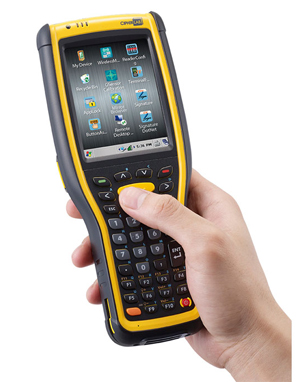
CipherLab 9700 Mobile Computer (Windows Mobile)
- TI OMAP 3730 1Ghz processor
- Microsoft Windows CE 6.0 operating system
- Memory: 512mb
- Withstands multiple 5ft drops to concrete
- Integrated barcode scanner
- Integrated Bluetooth and 802.11 wireless radios
- Includes single slot comm/charging base
- One year warranty
Call for Pricing
Click to view the CipherLab 9700 Product Brochure |
 |
 |